
Leads, including the ones you don't type in
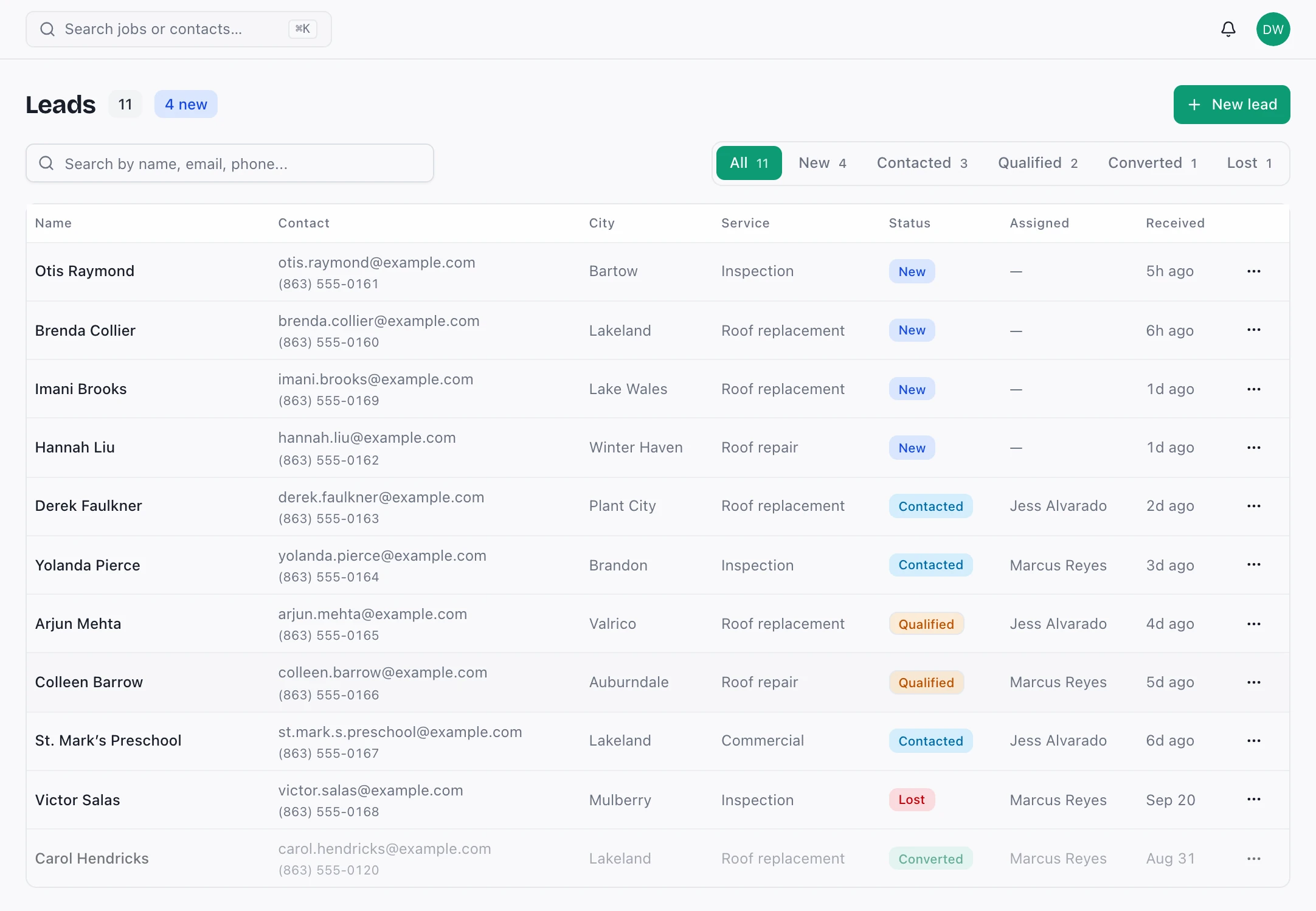
Take leads by hand or post them straight in from your website form or lead vendor through the inbound lead endpoint.
Ridgework keeps leads, estimates, e-signatures and photo reports in one system, with roof measurements drawn from the aerial and room scans taken on your phone. The same job, the same permissions, in the truck and at the office desk.
Roofing CRM · Built for crews of 2–20+ · iPhone, iPad, Android and web
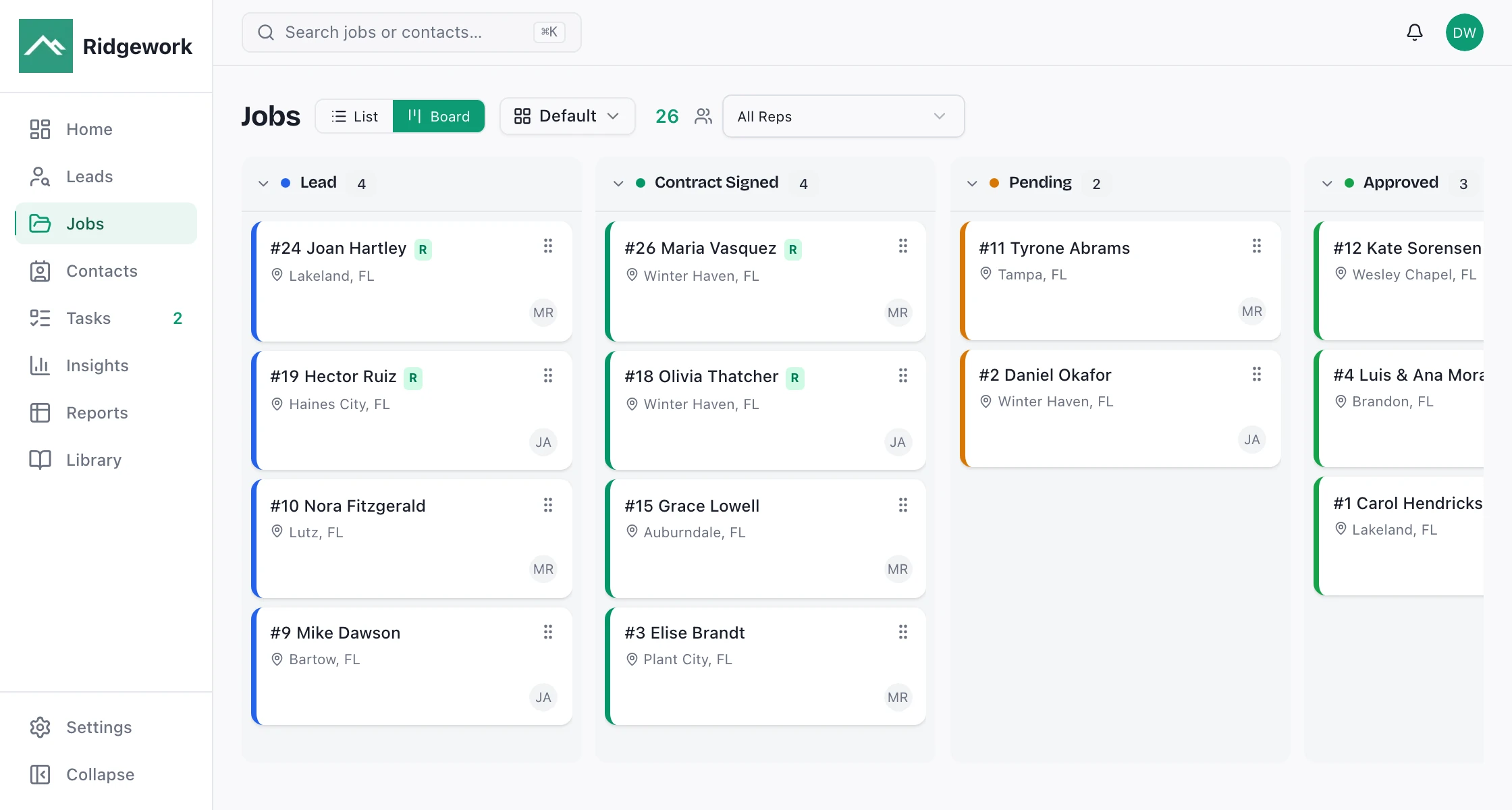
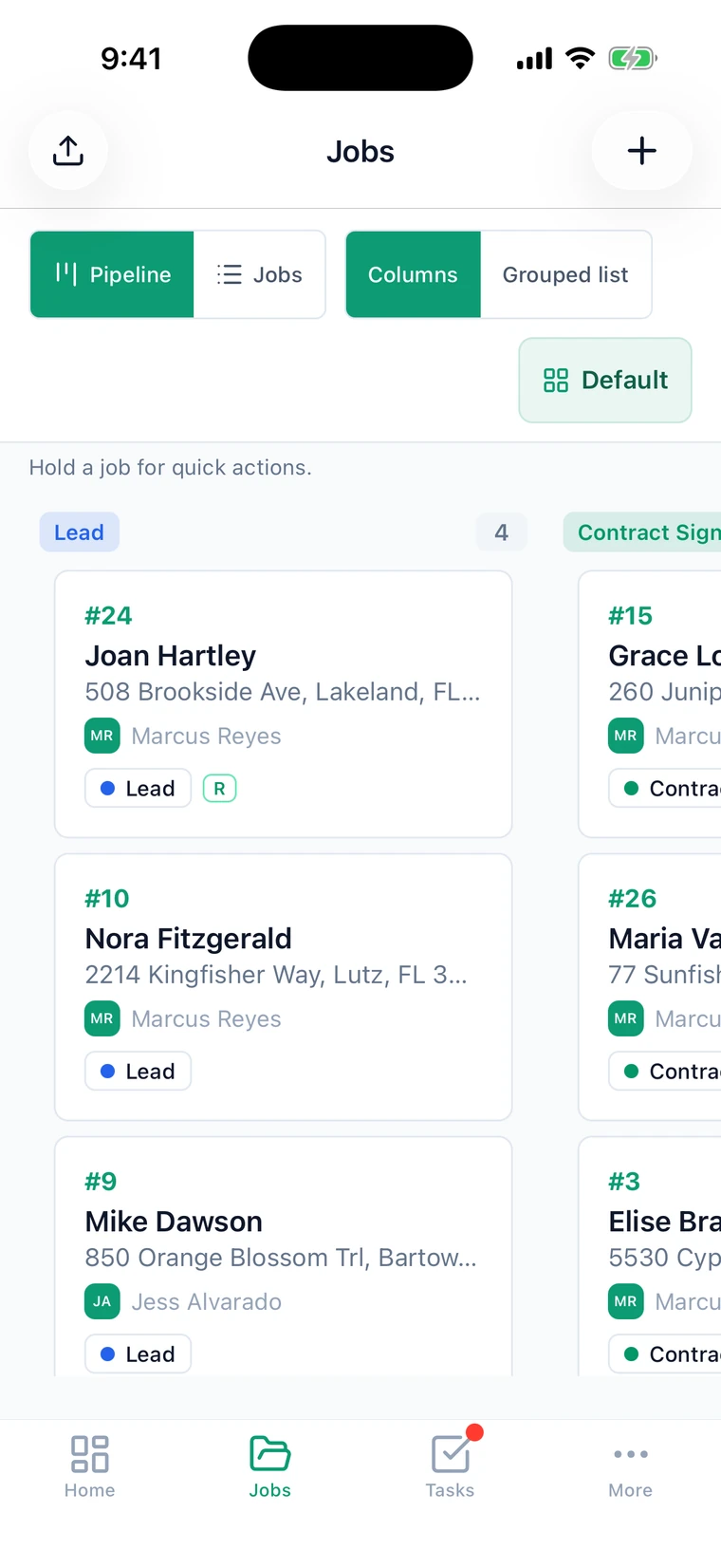
Real Ridgework screens. The company, people and numbers in them are sample data.
Most field apps are a thin companion to the real thing back at the office. Ridgework's phone app and web app read the same records through the same permission model, so what a project manager changes on a roof is what the office sees, immediately, without anyone re-typing it.
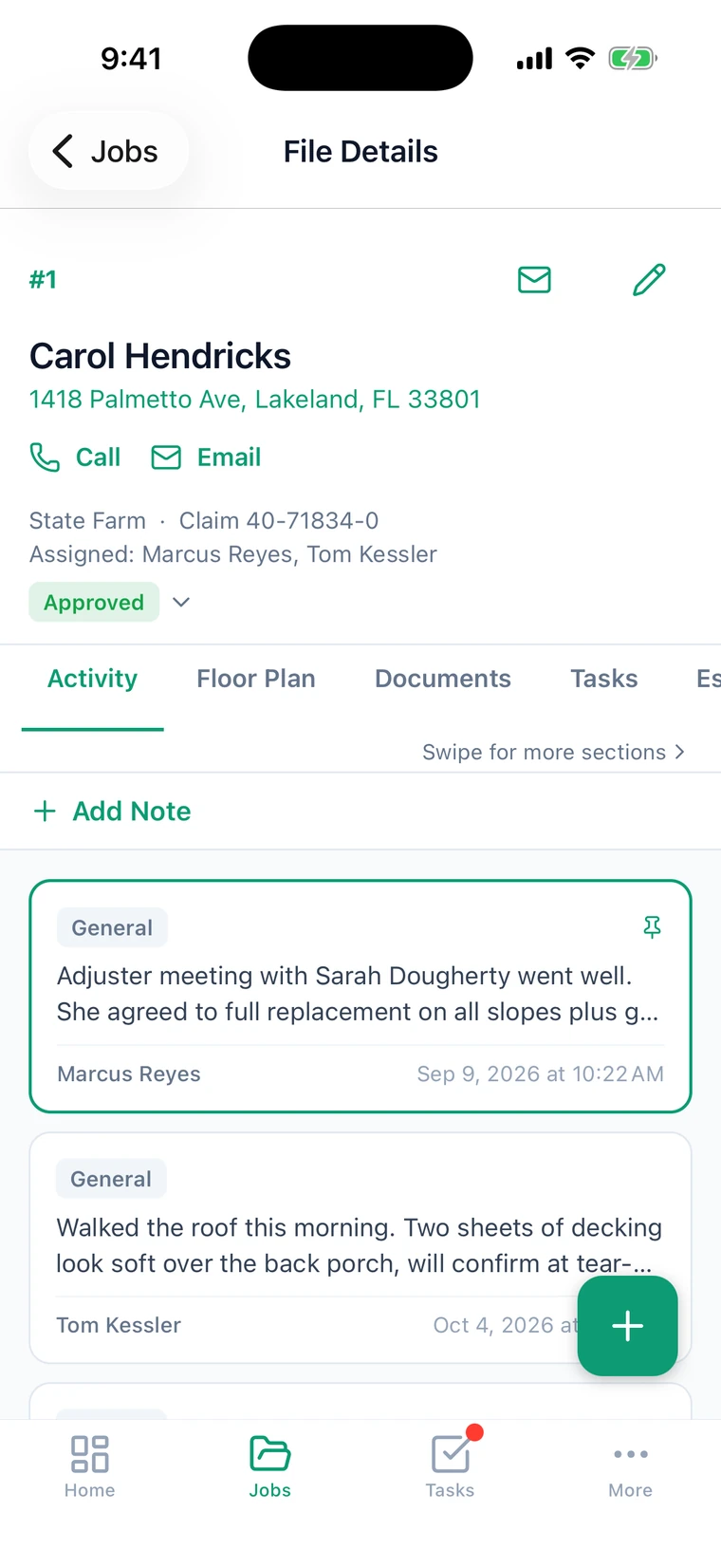
Twenty-one permissions across workspace, administration and library. Production crew sees the jobs they are on, not your margins, not everyone else's work.
Authorization lives in Postgres row-level security, not in hidden buttons. A restricted account that goes looking still finds nothing.
Photos taken out of coverage queue on the device and upload themselves when the truck finds bars again.
From the first call to a signed contract, without the record moving between three tools.
Take leads by hand or post them straight in from your website form or lead vendor through the inbound lead endpoint.
Line items priced against the job record, so the estimate reflects the scope and measurements already attached to it.
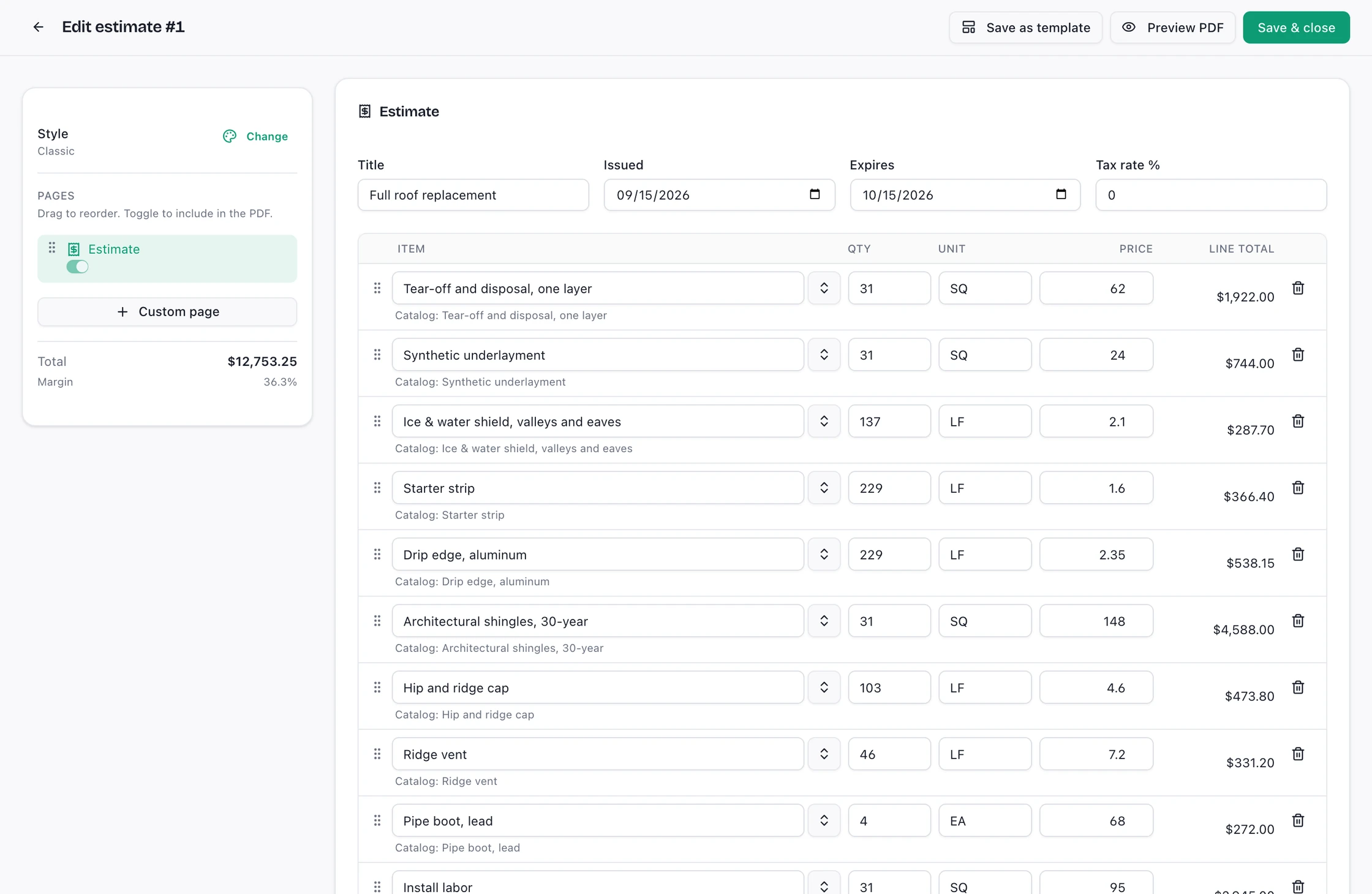
The customer gets a private link, signs in the browser, and the signed record locks. No portal login for them to forget.
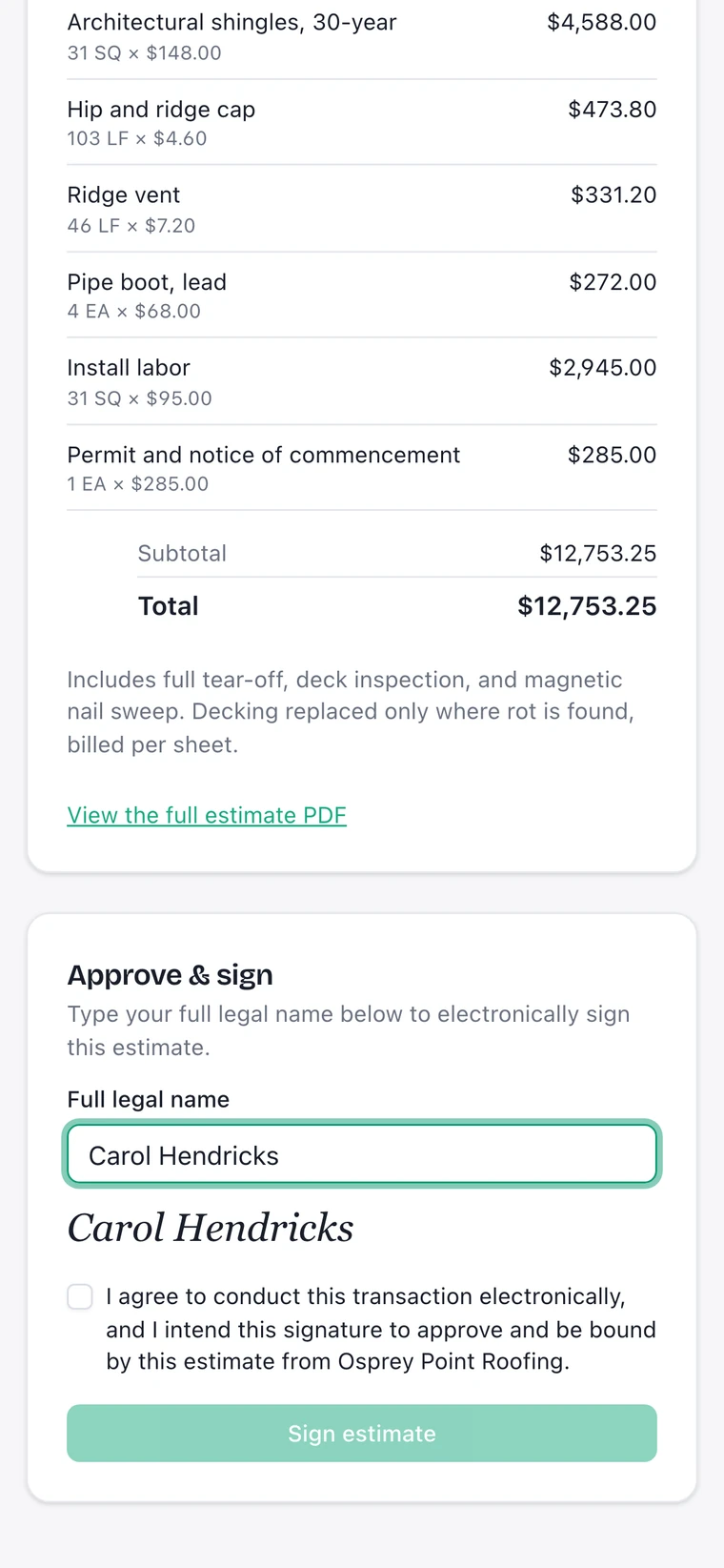
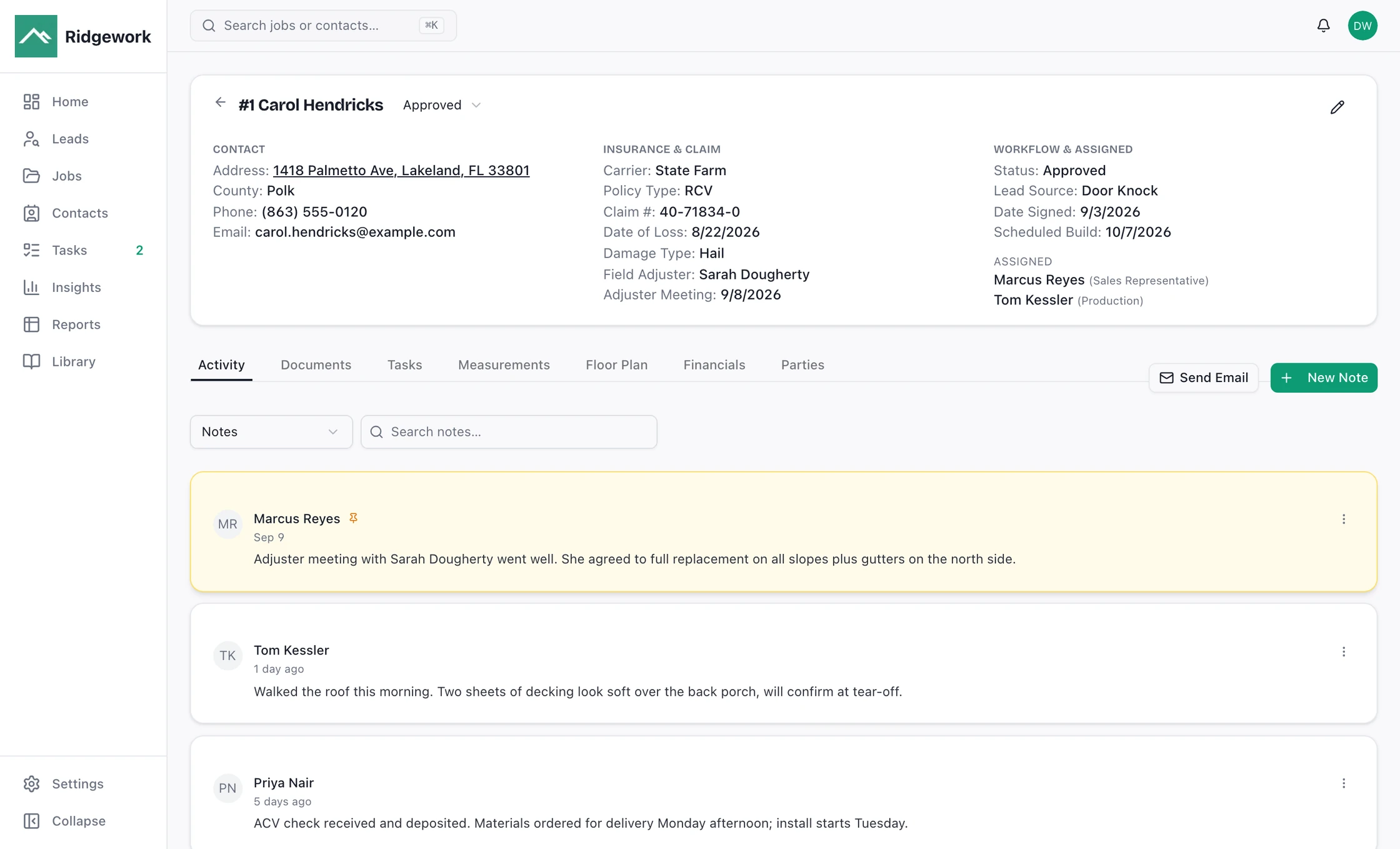
Every document, photo, note and appointment hangs off the job rather than off somebody's inbox.
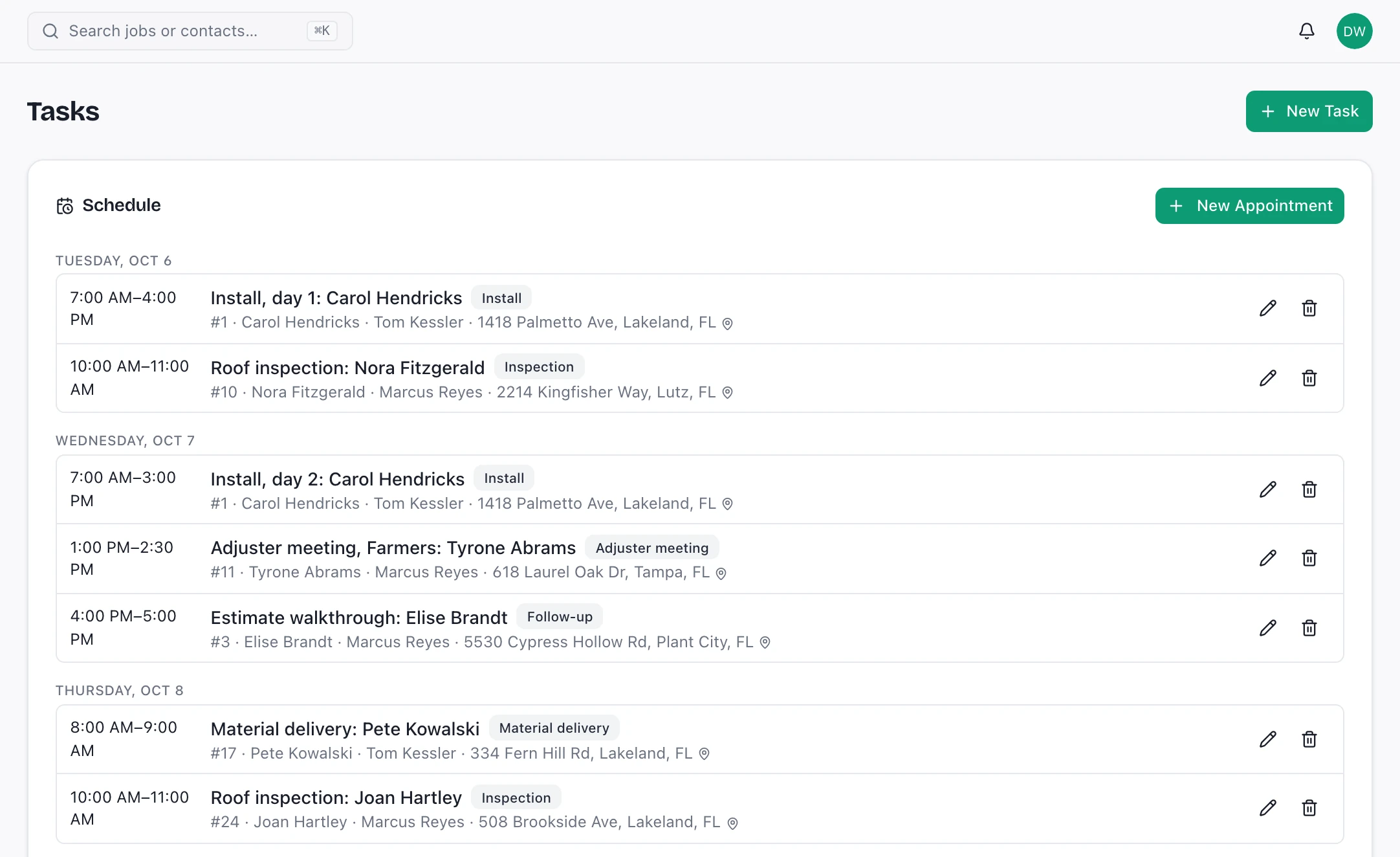
Financials tracked against the job, restricted to the people whose role includes them.
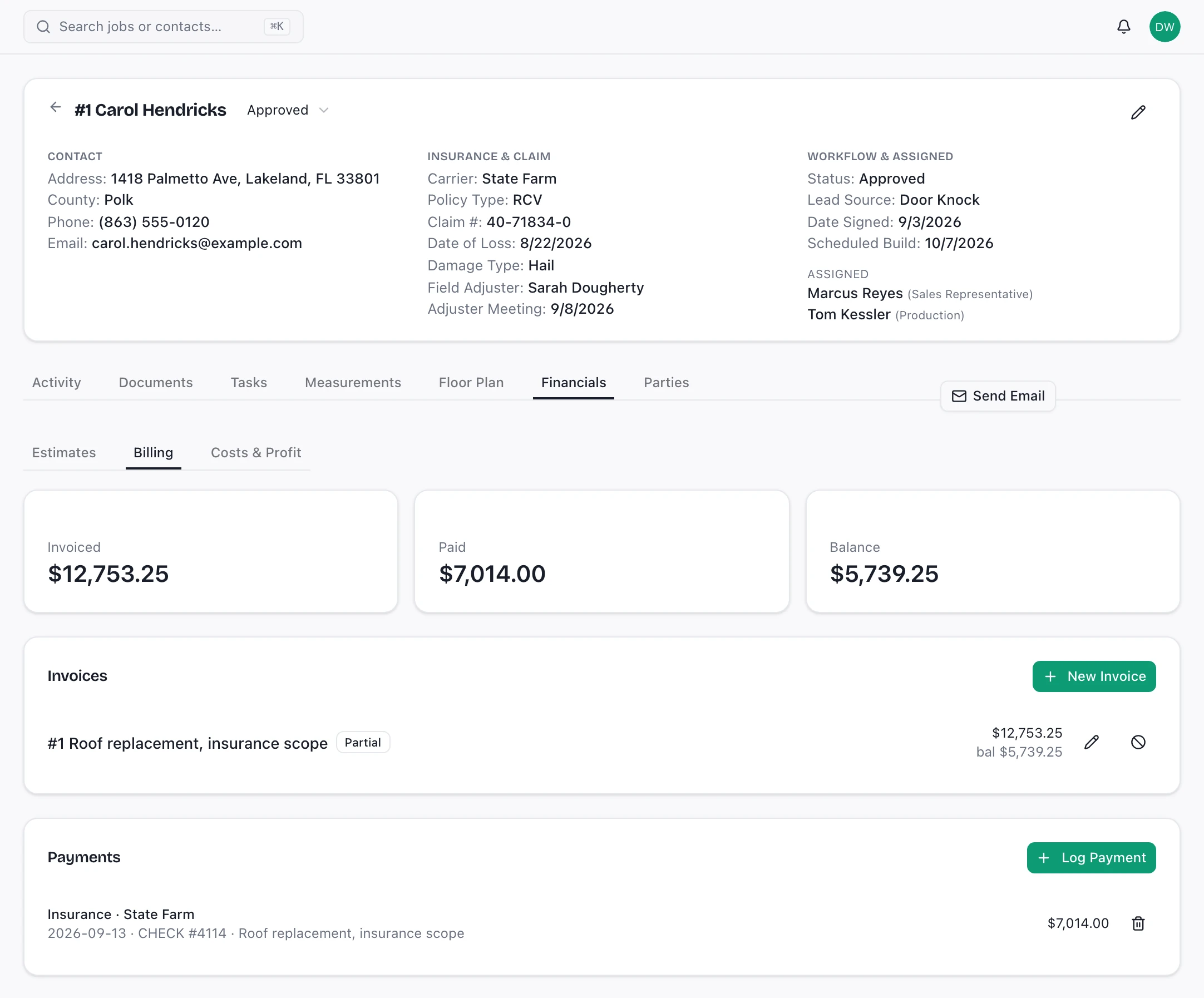
Real Ridgework screens. The company, people and numbers in them are sample data.
Pull up the address and draw each roof plane over the aerial image. Ridgework adds up the squares, the pitch and every eave, rake, ridge, hip and valley, applies your waste factor, and turns the numbers into an estimate. No separate measurement subscription and no second trip.
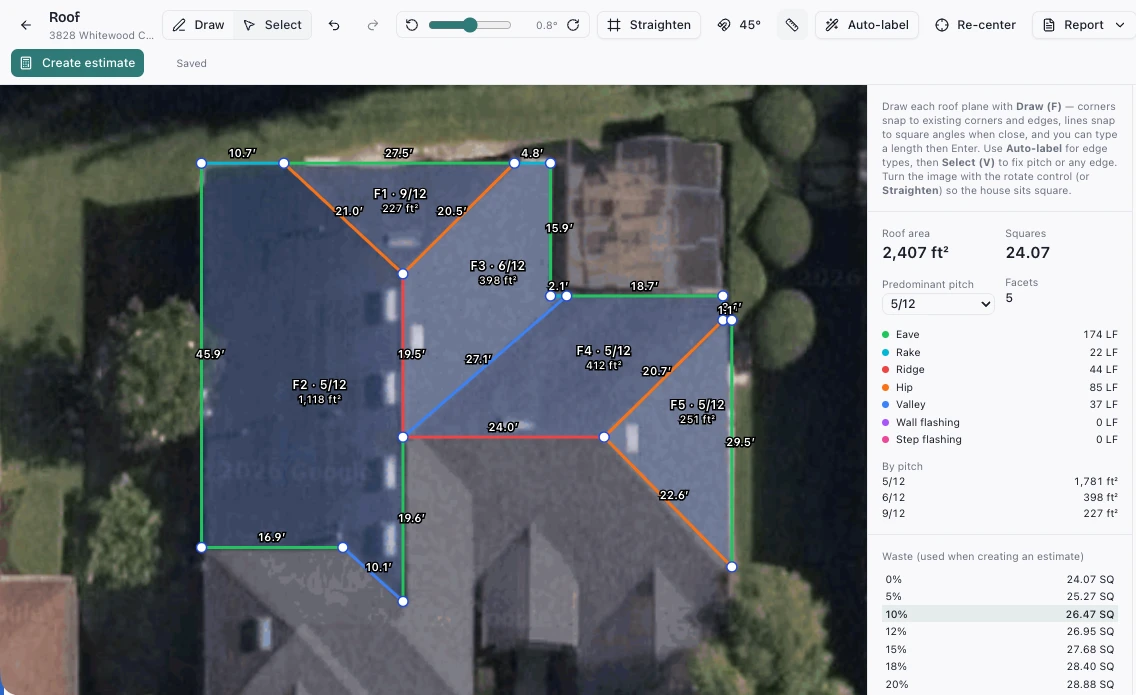
Roof area and squares, facets by pitch, and eave, rake, ridge, hip, valley and flashing lengths, totalled as you draw.
Pick the waste factor from the table and the squares to order are worked out for you.
One button turns the measurement into an estimate on the same job. Nothing is retyped.
Built in, out of the box. Connect your EagleView account and order a roof report from the job. The delivered report is saved to the job's documents.
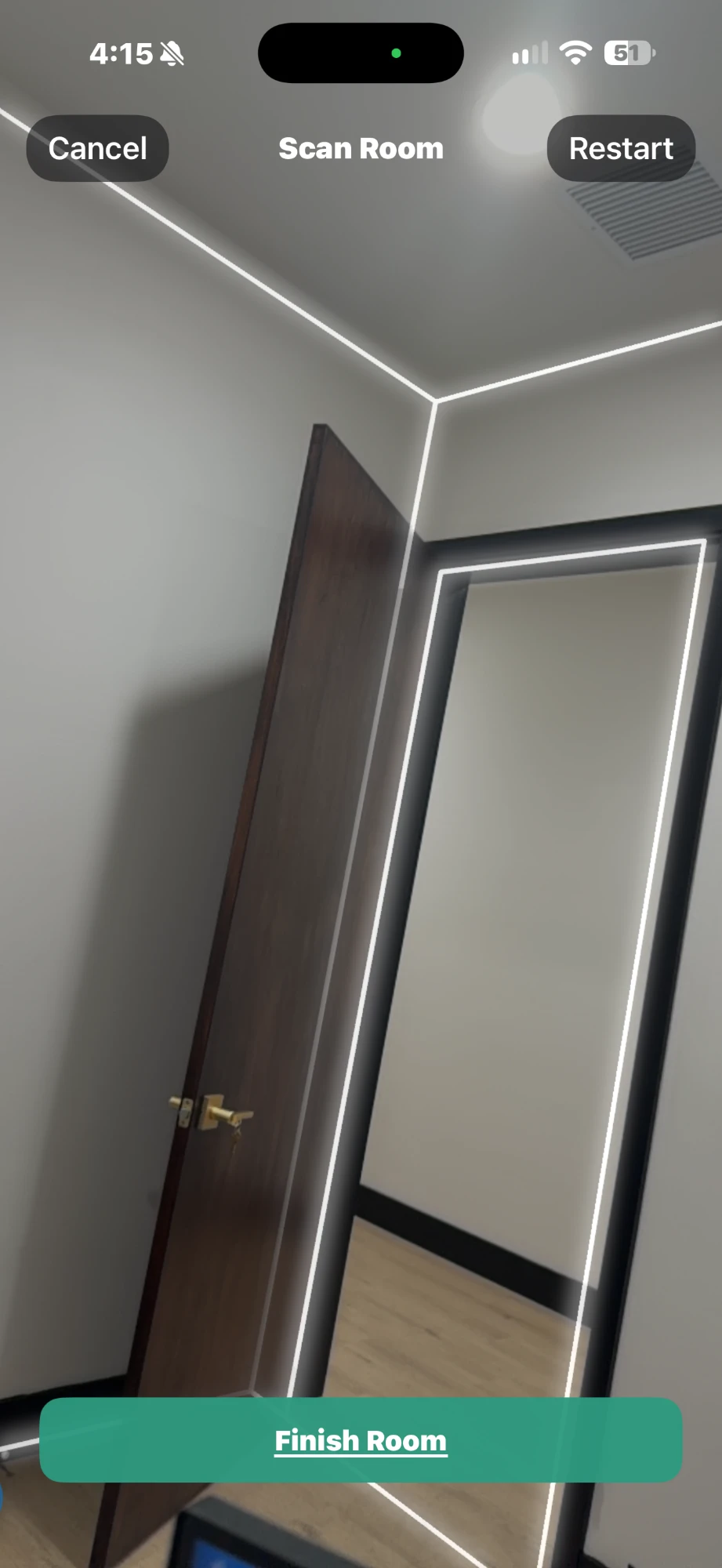
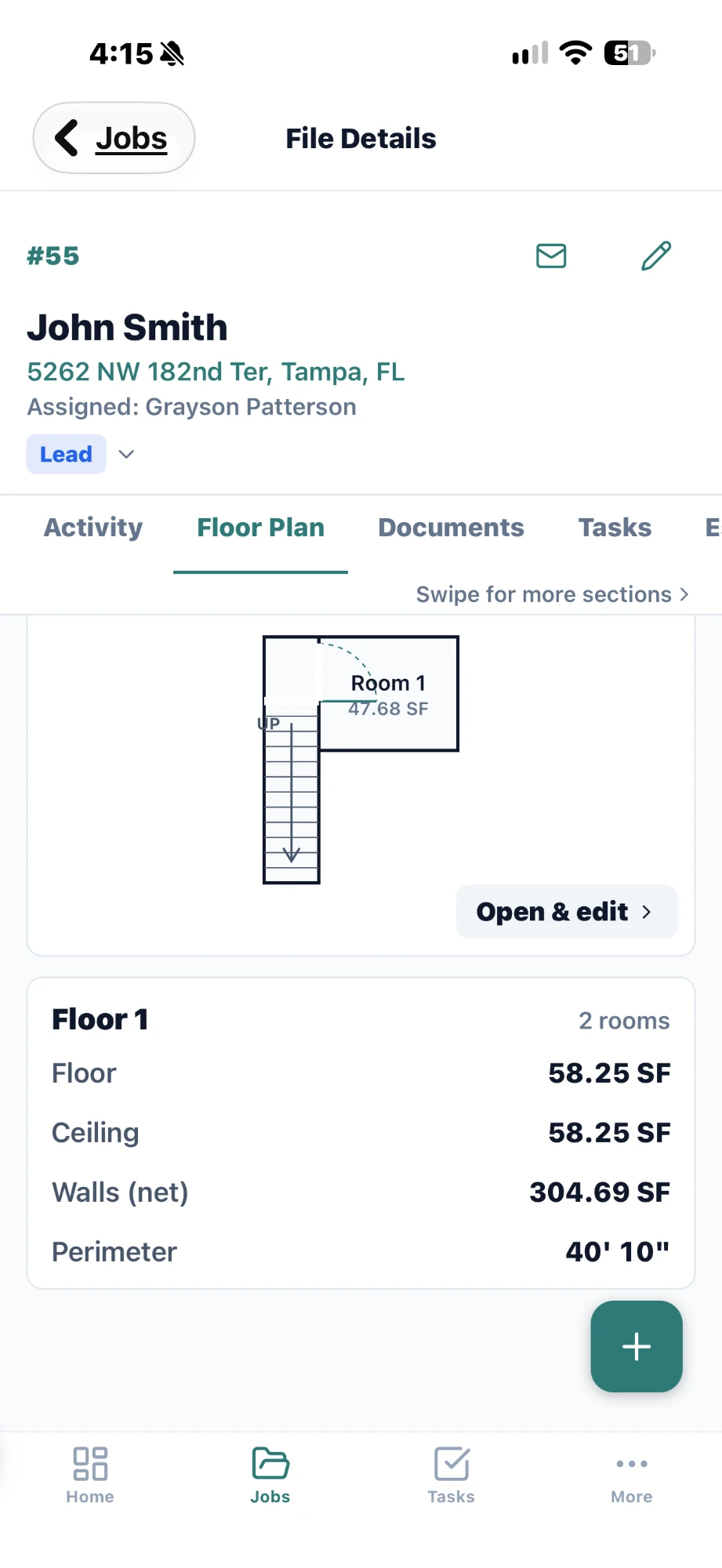
For interior work, walk the room with an iPhone that has LiDAR and Ridgework builds the floor plan: floor, ceiling and wall square footage and the perimeter, saved on the job. No LiDAR on the phone? Draw the rooms instead.
The scan picks up walls, doors and openings as you walk. Finish the room and it joins the plan.
The plan and its totals sit on the job record with the photos and the scope, not in a separate app you have to reconcile later.
Automations are rules you write once. When a record is created or changed, or a set time before or after one of its dates, Ridgework creates the task, sends the email or tells another system, so the next step does not depend on somebody remembering it.
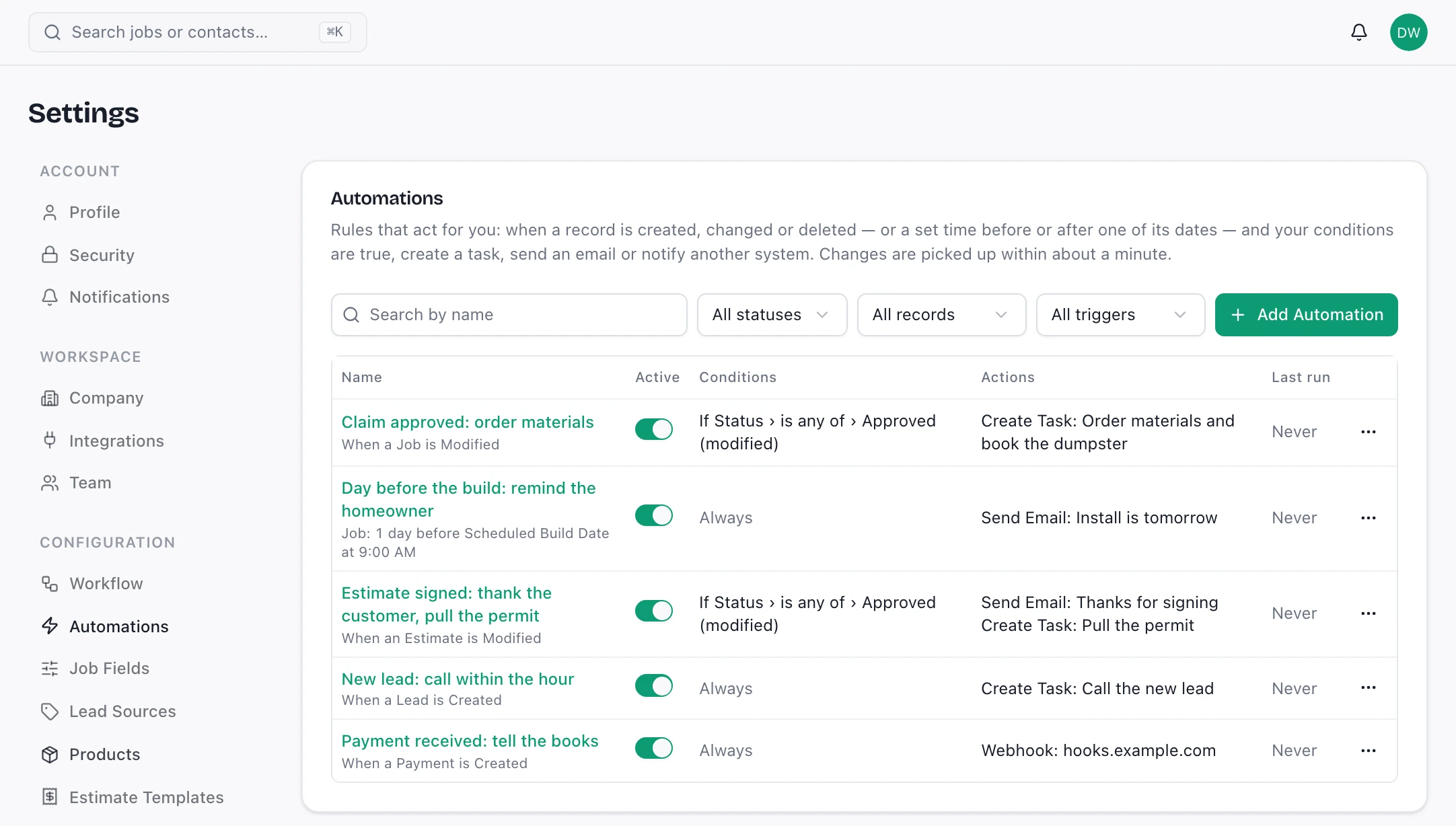
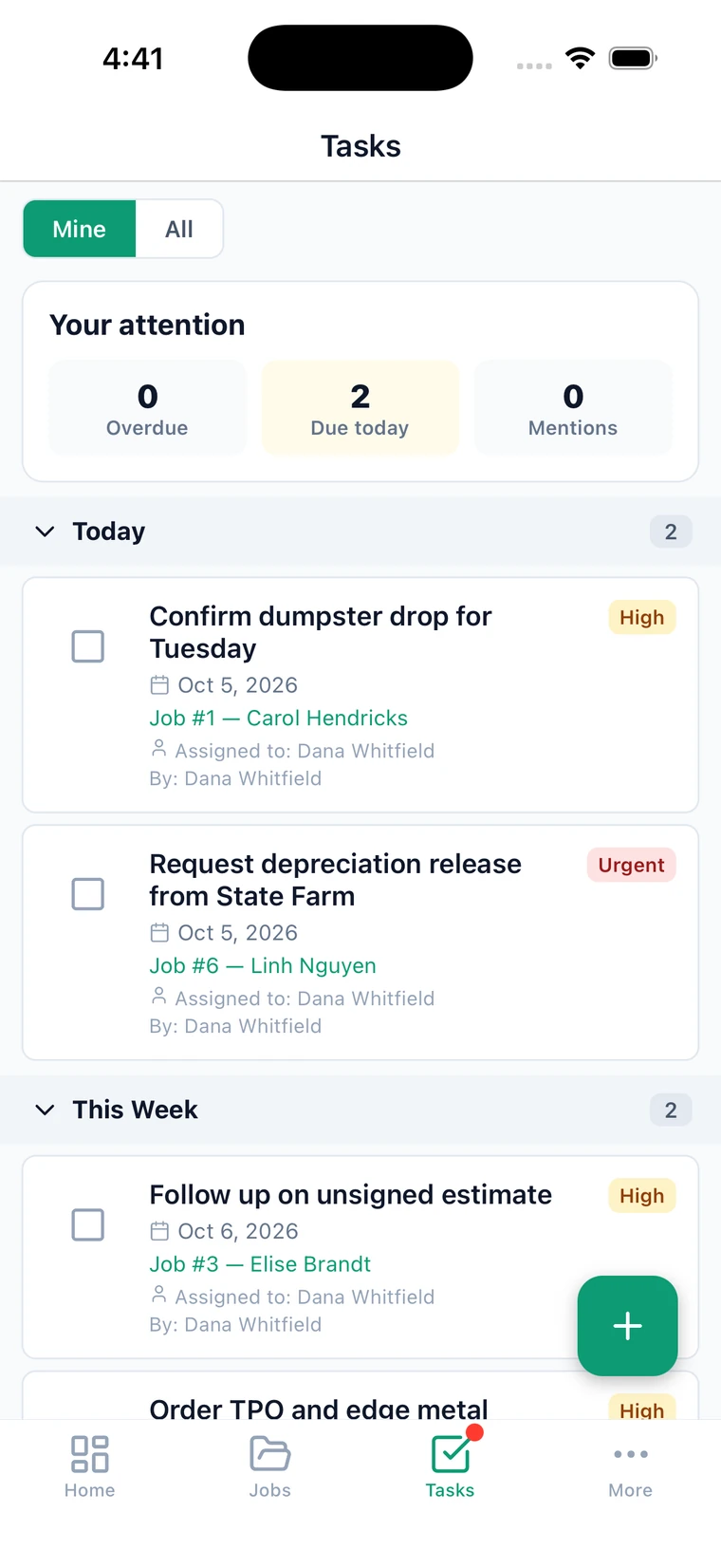
Jobs, leads, estimates, invoices, payments, tasks, documents, notes and appointments can all start a rule, with conditions on any of their fields.
A day before the build, a week after the invoice: rules can count from any date on the record.
Assign a task with a due date, send one of your email templates to the customer or the rep, or call a webhook.
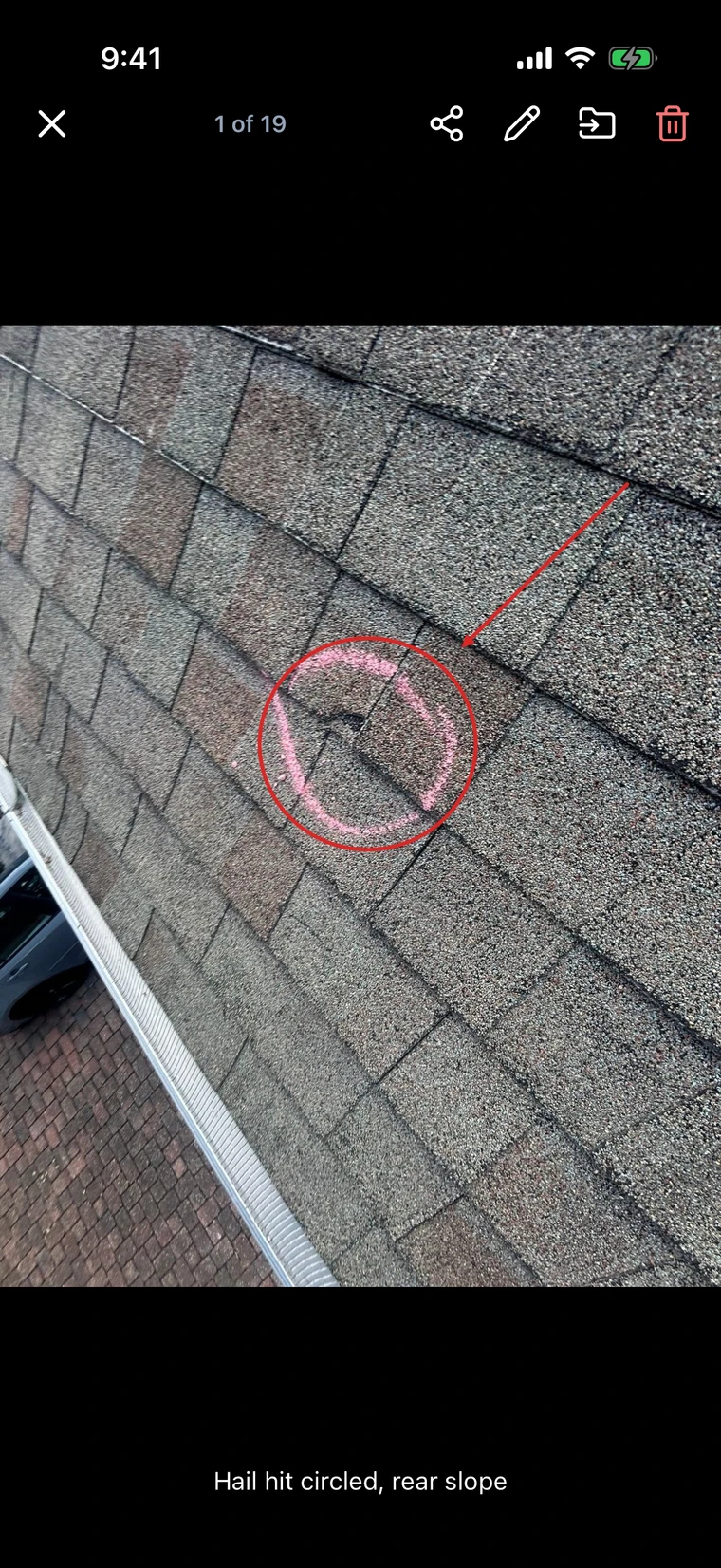
Open any job photo at the desk and draw on it: arrows, circles, boxes, freehand and text. Crop or rotate it first if it needs it. The marked-up photo is saved as a copy beside the original, and the crew sees it on their phones.
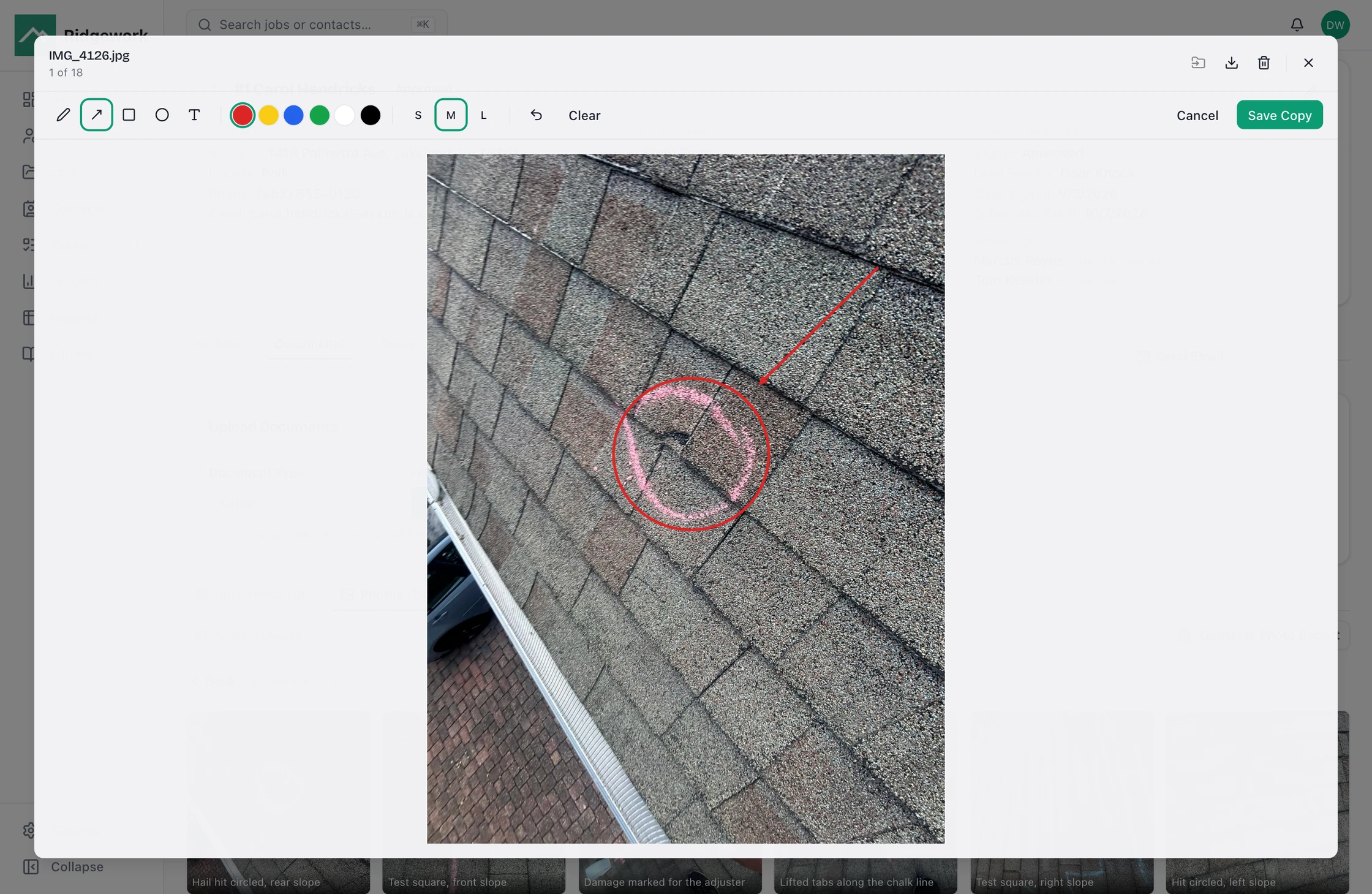
Five drawing tools, six colors and three line weights, with undo.
Saving makes a copy, so the unmarked photo is still there when someone asks for it.
Caption a photo on the phone or at the desk. The caption follows it into the report.
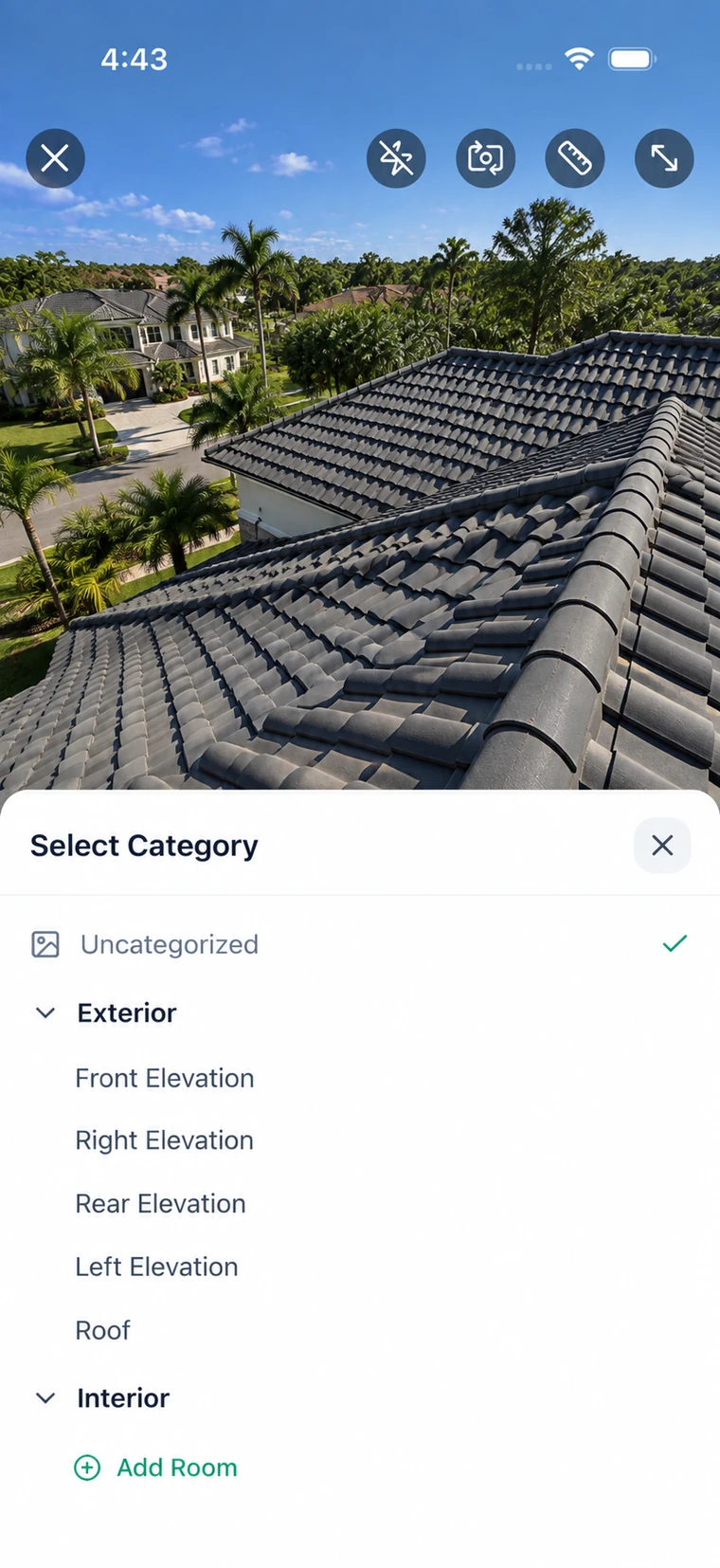
Crews shoot into categories, not a camera roll. Ridgework turns the job's photos into an ordered report (elevations, damage by slope, flashing, decking) that reads the way an adjuster expects to read it, and comes out as a PDF you can send without rebuilding it in a document editor.
The photo is filed as it is taken. Nobody sorts four hundred images on a Friday afternoon.
The camera reads the roof pitch from the phone's tilt and can measure a distance in the shot, and stamps both on the photo.
The report generates from the job as it stands, so a re-shoot means regenerating, not rebuilding.
Ridgework is built for contractors running two to twenty people, and priced on the same assumption. Start on the plan that matches the crew you have now and move when the crew changes.
One person, first few jobs.
A crew that has outgrown the group text.
Office staff and field split across roles.
Several crews, custom roles, real volume.
Pricing is set per crew. We'll quote it on the call.
We'll set up a workspace, load a job the way you actually run it, and show you the phone side on your own roof photos. If it isn't a fit, we'll say so on the call.
Book a demo